RetrievalUpdated 8 min read
GPTBot vs OAI-SearchBot: What to Block and What to Allow in 2026
OpenAI runs three agents with three different jobs. Treating them as one bot, in robots.txt or in a CDN setting, is how sites opt out of ChatGPT search without meaning to.

Founder, SEO·AEO·GEO
Builds SEO·AEO·GEO and writes the crawler, schema, and citation research published here.
Key takeaways
- OpenAI documents GPTBot (training), OAI-SearchBot (ChatGPT search) and ChatGPT-User (user-initiated fetches) as separate agents with independent robots.txt settings.
- Disallowing GPTBot opts you out of training only; disallowing OAI-SearchBot removes you from ChatGPT search answers.
- Anthropic and Perplexity split their crawlers the same way, so one policy covers all three vendors: allow the search crawlers, decide training on purpose.
- robots.txt is a request; a CDN or firewall rule is enforcement. On Cloudflare, only a Training “Block” setting also stops Googlebot, Bingbot and Applebot; since 15 September 2026, “Disallow AI Training” leaves them crawling.
- Check the result in server logs and with a fetch that identifies as each bot, not only by reading the file.
GPTBot is OpenAI’s training crawler. OAI-SearchBot builds the index that ChatGPT search cites from. They are separate robots.txt tokens, so you can block one and allow the other. If you want to be cited in ChatGPT, allow OAI-SearchBot, make the GPTBot decision as a policy question, and then check that your CDN or firewall is not refusing the request before robots.txt is ever read.
This is the best-documented part of AI search work: every major vendor publishes what each crawler does and what a Disallow means. It is also the part that fails silently. Google Search Console will not tell you that OAI-SearchBot is being turned away.
Three OpenAI agents, three jobs
OpenAI’s crawler overview is the source of truth. Treat these as three separate products, not aliases of one bot:
| User agent | Job | What a Disallow does |
|---|---|---|
| GPTBot | Collects content that may be used to train OpenAI’s foundation models | Signals that the site’s content should not be used for training |
| OAI-SearchBot | Surfaces websites in ChatGPT’s search features | The site is not shown in ChatGPT search answers (it can still appear as a navigational link) |
| ChatGPT-User | Visits a page when a user asks ChatGPT or a Custom GPT something | OpenAI says robots.txt rules may not apply, and this agent is not used to decide Search inclusion |
Each setting is independent of the others – for example, a webmaster can allow OAI-SearchBot in order to appear in search results while disallowing GPTBot to indicate that crawled content should not be used for training OpenAI’s generative AI foundation models.
Training opt-out and search opt-in are not opposites. You can do both. OpenAI adds that it can take about 24 hours from a robots.txt update for its search systems to adjust.
Anthropic, Perplexity and Google use the same split
The pattern is not OpenAI-specific. Each vendor separates the crawler that builds its search index from the one that collects training data and from the fetcher that acts on a user’s request.
| Vendor | Search / index crawler | Training crawler | User-initiated fetcher |
|---|---|---|---|
| OpenAI | OAI-SearchBot | GPTBot | ChatGPT-User |
| Anthropic | Claude-SearchBot | ClaudeBot | Claude-User |
| Perplexity | PerplexityBot (Perplexity says it is not used for model training) | None documented | Perplexity-User (Perplexity says it generally ignores robots.txt) |
| Googlebot (also feeds AI Overviews and AI Mode) | Google-Extended (Gemini training and grounding; not a Search switch) | Not covered here |
Google is the exception that confuses people. Its AI features page says robots.txt directives for Googlebot are the control for how a site is crawled for Search, AI features included, and that Google-Extended “does not impact a site’s inclusion in Google Search.” To limit what Google shows from a page in AI Overviews, the controls are nosnippet, data-nosnippet, max-snippet and noindex, and they apply to all of Search, not just the AI parts.
CDN rules override robots.txt
robots.txt is a request that compliant crawlers honour. A CDN, WAF or bot-management rule is enforcement: it refuses the request before robots.txt matters. Cloudflare’s own data shows publishers moving from one to the other. Its 1 July 2025 Radar analysis found GPTBot was both the most-blocked AI crawler in robots.txt files (312 domains in its sample) and the most explicitly allowed (61), and that “more websites are moving from passive signals like robots.txt to active protections like Web Application Firewalls.”
The same day, Cloudflare announced it was “changing the default to block AI crawlers unless they pay creators for their content.” Its press release says every new domain is asked at sign-up whether to allow AI crawlers. What your zone does today depends on when and how it was set up, so check it rather than assume.
Cloudflare’s Search, Agent and Training categories (2026)
On 1 July 2026 Cloudflare replaced the single AI-bot switch with three categories that every plan, including Free, can set separately:
- Search: “any behavior that collects or indexes your content, so it can answer questions about it later.” This is the category that earns citations.
- Agent: automated behaviour acting in real time on a person’s behalf. Cloudflare names chat fetchers such as ChatGPT-User and browser-use agents.
- Training: “a crawler taking your content to train or fine-tune a model.”
Cloudflare’s new defaults for new domains block Training and Agent on pages that display ads and allow Search. The detail that matters most for SEO is how crawlers that do several jobs at once are treated. In July 2026 Cloudflare said the most restrictive rule would win:
Since the defaults will be enforced by the most restrictive applicable rules, multi-purpose crawlers such as Googlebot, Applebot, and BingBot will be blocked by customers who have selected to block Training (either through the new options to manage AI traffic, or through the legacy Block AI bots service).
It changed course before that shipped. Since 15 September 2026 Training has two strengths, and earlier training blocks were migrated to the milder one, “Disallow AI Training”:
Setting Training to Disallow adds managed directives and enables edge blocking for AI training crawlers. Mixed-use crawlers are excluded from this edge block.
Only Training set to “Block” (or “Block on pages with ads”, on those pages) stops Googlebot, Bingbot and Applebot as well — search included. So the risk is real but narrow: check which Training setting your zone uses, then confirm Googlebot and Bingbot still receive a 200. The full walkthrough is in Cloudflare’s 2026 AI crawl settings, explained. SEO·AEO·GEO flags a Cloudflare-served site with a training opt-out so you know to check (see the methodology).
A robots.txt for AI search in 2026
This is a policy template, not legal advice. It allows the search crawlers that cite pages, makes the training decision explicit, and keeps classic search open. Change the training stanzas to Allow if you are happy for your pages to be used in training data.
# Search and answer crawlers (citations)
User-agent: OAI-SearchBot
Allow: /

User-agent: ChatGPT-User
Allow: /

User-agent: Claude-SearchBot
Allow: /

User-agent: Claude-User
Allow: /

User-agent: PerplexityBot
Allow: /

# Training (an explicit policy: block or allow on purpose)
User-agent: GPTBot
Disallow: /

User-agent: ClaudeBot
Disallow: /

User-agent: Google-Extended
Disallow: /

User-agent: CCBot
Disallow: /

User-agent: Bytespider
Disallow: /

User-agent: meta-externalagent
Disallow: /

# Everyone else, including Googlebot and Bingbot
User-agent: *
Allow: /

Sitemap: https://example.com/sitemap.xml
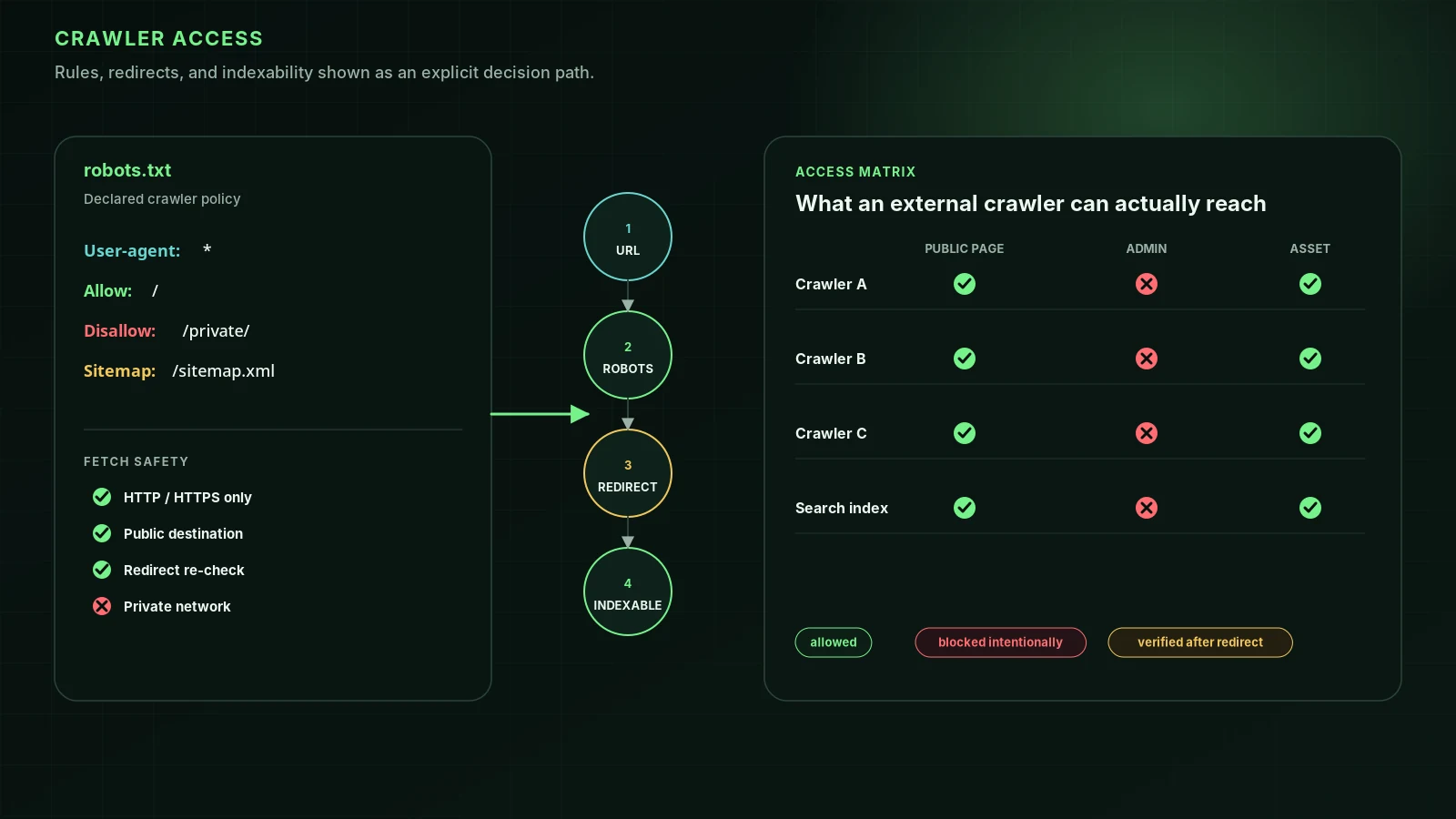
Then check the enforcement layer, which most templates skip. In Cloudflare, open AI Crawl Control and look at the action set for each crawler and for the Search, Agent and Training categories; then check Security → Bots for Bot Fight Mode. Fetch robots.txt, sitemap.xml and a page you want cited, identifying as each search bot. If any of them comes back 403, 402 or as a challenge page, the robots.txt file never mattered.
A wildcard such as User-agent: * with Disallow: /admin is fine. User-agent: * with Disallow: / blocks every crawler that has no group of its own, Googlebot included.
Access is the first gate, not the last
Google’s generative-AI guide (May 2026, updated July 2026) says its AI features are “rooted in our core Search ranking and quality systems,” and that you can ignore llms.txt for Google Search. That is a statement about Google. OpenAI, Anthropic and Perplexity run their own crawlers, and in Vercel and MERJ’s analysis none of the ones tested (OAI-SearchBot, ChatGPT-User, GPTBot, ClaudeBot, PerplexityBot) rendered JavaScript.
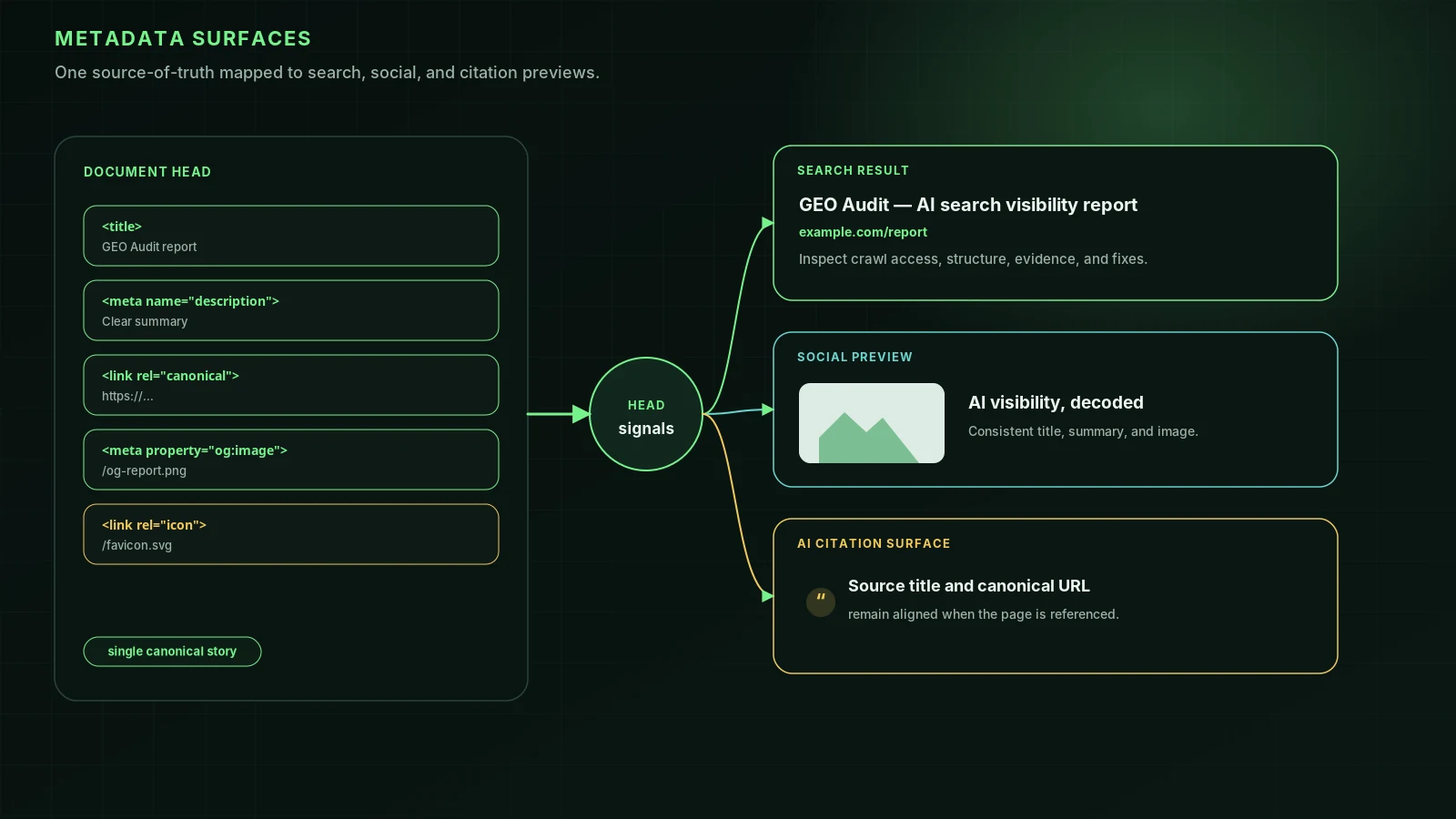
So once a crawler can fetch the page, three things decide whether it can use it: whether the content is in the raw HTML and arrives without timeouts, whether the page has a heading outline a parser can follow, and whether the URL you want credited is the canonical every surface agrees on.
What to check this week
- Fetch robots.txt from the host your pages actually land on (after any www or HTTPS redirect). Confirm no Disallow covers OAI-SearchBot, Claude-SearchBot or PerplexityBot on the paths you want cited.
- Check your CDN or WAF for an AI-bot rule. On Cloudflare that means AI Crawl Control, the Search category and Bot Fight Mode.
- Search your access logs for GPTBot, OAI-SearchBot, ChatGPT-User, ClaudeBot, Claude-SearchBot and PerplexityBot, and check the IPs against the published lists. Weeks with no hits from a search bot are a finding.
- On Cloudflare, choose “Disallow AI Training” rather than “Block” unless you mean to leave search, then confirm Googlebot and Bingbot still get 200.
- Don’t use Google-Extended as an AI Overviews switch. It isn’t one.
SEO·AEO·GEO checks the parts of this you can see from outside. It reads robots.txt for the audited path; a Disallow on an OpenAI, Anthropic, Perplexity, Google or Microsoft search or answer crawler caps the score, while training-only opt-outs are reported and not scored. It also requests the page as OAI-SearchBot, PerplexityBot and Claude-SearchBot and compares the answer with a browser’s. That test is simulated, because real bots are verified by IP, so treat a pass as “not obviously blocked”. Run a free audit on a page you want cited; the methodology lists the sources behind each check.
FAQ
If I block GPTBot, will ChatGPT stop citing my site?+
Not according to OpenAI. GPTBot collects training data; ChatGPT search inclusion is controlled by OAI-SearchBot, and OpenAI says each setting is independent of the others. Sites that disallow OAI-SearchBot are not shown in ChatGPT search answers, though they can still appear as navigational links.
How long does a robots.txt change take to affect ChatGPT search?+
OpenAI says it can take about 24 hours for its systems to adjust after a robots.txt update, and Perplexity gives the same window. A CDN or firewall rule applies immediately, so a block there overrides an Allow in robots.txt the moment it is switched on.
Should I allow PerplexityBot and Claude-SearchBot too?+
Yes, if you want to be cited in Perplexity and Claude. Perplexity says PerplexityBot is not used to crawl content for AI foundation models, and Anthropic says disabling Claude-SearchBot may reduce your visibility in its search results. Decide on training crawlers such as ClaudeBot as a separate policy.
Is ChatGPT-User bound by robots.txt?+
OpenAI says ChatGPT-User acts on a user’s request, is not used for automatic crawling, and that robots.txt rules may not apply to it. Perplexity says the same of Perplexity-User. Use OAI-SearchBot and PerplexityBot for search opt-outs, and note that Cloudflare classifies these fetchers as Agent traffic.
Does blocking Google-Extended remove my site from AI Overviews?+
No. Google says Google-Extended does not affect a site’s inclusion in Google Search and is not a ranking signal. AI Overviews and AI Mode use Googlebot; to limit what Google shows from a page, the controls are nosnippet, data-nosnippet, max-snippet and noindex, and they apply to all of Search.
Sources
- Managed robots.txt — Cloudflare Docs (2026-10-08)
- Overview of OpenAI Crawlers — OpenAI
- Perplexity Crawlers — Perplexity
- Does Anthropic crawl data from the web, and how can site owners block the crawler? — Anthropic
- Content Independence Day: no AI crawl without compensation! — Cloudflare Blog (2025-07-01)
- Cloudflare Just Changed How AI Crawlers Scrape the Internet-at-Large — Cloudflare press release (2025-07-01)
- Your site, your rules: new AI traffic options for all customers — Cloudflare Blog (2026-07-01)
- From Googlebot to GPTBot: Who’s crawling your site in 2025 — Cloudflare Blog (2025-07-01)
- The rise of the AI crawler — Vercel and MERJ (2024-12-17)
- Google’s common crawlers (Google-Extended) — Google for Developers
- AI features and your website — Google Search Central
- Google’s Guide to Optimizing for Generative AI Features on Google Search — Google Search Central (May 2026, updated July 2026)
Run it on your domain
See this lens as a finding, not a lecture.
Free technical GEO audit. Evidence-traced scores, LLM-ready export, no login.
Audit your website