Retrieval 12 min read
Why Isn’t My Page in AI Overviews? The 2026 Eligibility Rules
Three conditions make a page eligible for AI Overviews and AI Mode. One of them cannot be seen from outside your Search Console, and the setting most people blame, Google-Extended, isn’t one of them.

Founder, SEO·AEO·GEO
Builds SEO·AEO·GEO and writes the crawler, schema, and citation research published here.
Key takeaways
- Google requires three things for AI Overviews and AI Mode: the page is indexed, it is eligible for a snippet, and the site is set to Include in Search Console’s Search generative AI control.
- Eligible is not chosen: AI Overviews appear only when Google judges them useful, and the pages come from its normal ranking systems.
- Blocking Google-Extended does not remove you from AI Overviews; it covers Gemini training and grounding in Gemini Apps and Vertex AI.
- nosnippet and max-snippet:0 keep a page out of AI Overviews but also strip its snippet from ordinary results; Apple uses nosnippet for Siri’s AI answers too.
- Bing treats noarchive as a request to keep a page out of its AI answers, and plenty of large sites still send it.
A page can appear in Google’s AI Overviews or AI Mode only if three things are true: it is indexed, it is eligible to be shown with a snippet, and its site is set to Include in Search Console’s Search generative AI control, which is the default and has been available worldwide since 31 August 2026. Meeting all three makes a page eligible, not chosen. AI Overviews appear only when Google decides they add something, and the pages they cite come from Google’s normal ranking.
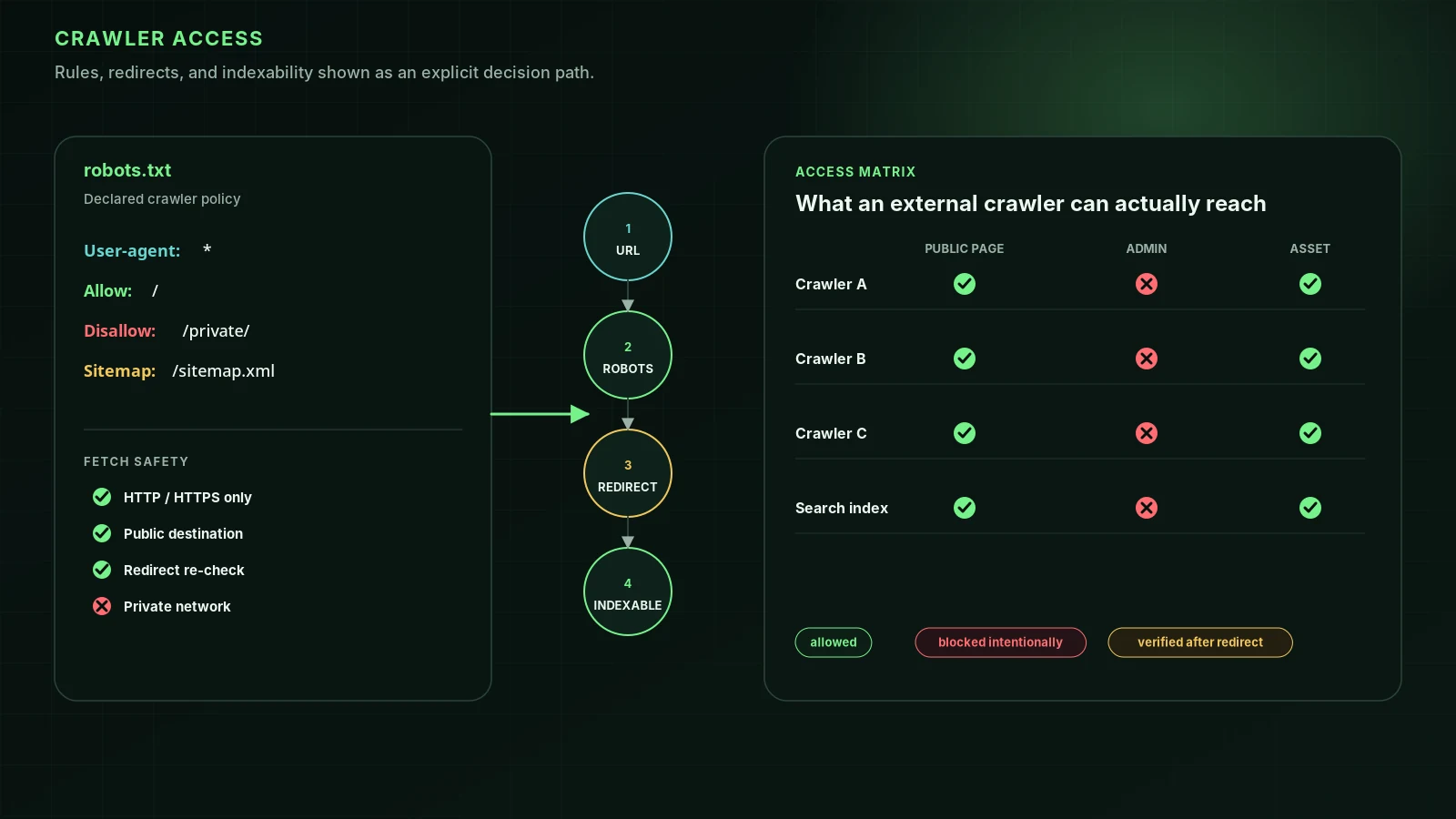
Blocking Google-Extended does not remove you. What does: noindex, nosnippet or max-snippet:0, the Exclude option in Search Console, and anything that stops Googlebot fetching the page, from a robots.txt rule to a CDN setting. Below are Google’s rules in its own words, each control’s side effects, Bing’s and Apple’s equivalents, and a diagnostic order. To test a URL now, use our AI Overviews eligibility check.
Google’s eligibility rules, verbatim
To be eligible to be shown in generative AI features on Google Search, a page must be indexed and eligible to be shown in Google Search with a snippet, fulfilling the Search technical requirements.
In addition to the technical requirements for Search, a site must be included in Search generative AI features in Search Console to be eligible for display in generative AI features on Google Search.
The same guide adds the usual caveat: “Just because a page meets all requirements, best practices, and complies with the policies, doesn’t mean that Google will crawl, index, or serve its content.” Google’s older AI features page adds the other one: “AI Overviews are only shown when our systems determine that it is additive to classic Search, and as such, often don’t trigger.” That older page, last updated 10 December 2025, still says “There are no additional requirements to appear in AI Overviews or AI Mode”. It was written before the Search Console control existed; the July 2026 guide is the current statement.
| Gate | What closes it | How to check | Visible from outside? |
|---|---|---|---|
| Googlebot can fetch the page | Disallow for Googlebot or *, a CDN or firewall block (for example Cloudflare’s Training set to Block) | URL Inspection live test; Search Console robots.txt report | Mostly |
| The page is indexed | noindex, a canonical pointing elsewhere, soft 404, duplicate or low-quality signals | URL Inspection | Partly (noindex and canonical, yes) |
| The page can show a snippet | nosnippet, max-snippet:0 | Page source and HTTP headers | Yes |
| The site is included | Search generative AI control set to Exclude, on the property or a parent | Search Console, Settings, Search generative AI | No |
| The page is chosen | Ranking and relevance; the query may show no AI Overview at all | Generative AI performance report in Search Console | No |
Google is clear about what sits underneath: its generative AI features “are rooted in our core Search ranking and quality systems”, and they use retrieval from the Search index plus query fan-out, “a set of concurrent, related queries generated by the model”. Good SEO is the base. No special file, markup or rewrite is required; Google lists llms.txt, chunking and special schema among the things “you can ignore for Google Search”. Our GEO myths, graded post and our post on JSON-LD and AI citations cover the evidence.
Snippet controls and their side effects
Snippet controls are the page-level way to keep content out of AI answers. Each one has a cost, because Google applies them to every kind of result, not only to AI features.
| Control | Ordinary Google results | AI Overviews and AI Mode | Elsewhere |
|---|---|---|---|
| nosnippet | No text snippet or video preview; a thumbnail may still show | “will also prevent the content from being used as a direct input” | Apple: no web answer, not used as AI context |
| max-snippet:[n] | Snippet capped at n characters | “will also limit how much of the content may be used as a direct input” | max-snippet:0 equals nosnippet |
| data-nosnippet (attribute) | Marked text is never used in snippets | Listed by Google among controls that limit what Search shows from a page | Valid only on span, div and section |
| noindex | Page removed from Search | Not eligible | Removes the page outright, not just the AI use |
| noarchive | “no longer used by Google Search” | No effect | Bing: out of Copilot answers |
Three details matter in practice. First, there is no Google page-level directive that removes AI use but keeps your classic snippet; nosnippet does both. Second, max-snippet’s limit “does not apply in cases where a publisher has separately granted permission for use of content”, such as structured data or a licence agreement with Google. Third, when rules conflict, “the more restrictive rule applies”, so a stray nosnippet from a plugin beats a generous max-snippet:-1 elsewhere on the page.
<!-- Whole page: no snippet, and no direct input to AI Overviews or AI Mode -->
<meta name="robots" content="nosnippet">

<!-- Whole page: cap quoted text at 160 characters -->
<meta name="robots" content="max-snippet:160">

<!-- Part of a page: keep this block out of snippets -->
<div data-nosnippet>Members-only pricing table</div>

<!-- Same rule as an HTTP header, for PDFs and other non-HTML files -->
X-Robots-Tag: nosnippet
Use data-nosnippet for page furniture, not for content you want found. Google’s own documentation shows the pattern: when we fetched its AI optimization guide on 13 October 2026, six elements carried data-nosnippet, namely the site header, the breadcrumb and metadata row, the page actions, the recommendations sidebar and two footer elements. All boilerplate; none of the guide’s text. Google also warns not to add or remove the attribute with JavaScript, because extraction can happen before or after rendering.
Does blocking Google-Extended remove you from AI Overviews?
No. Google-Extended is a robots.txt token, not a crawler, and Google defines its scope narrowly:
Google-Extended is a standalone product token that web publishers can use to manage whether content Google crawls from their sites may be used for training future generations of Gemini models that power Gemini Apps and Vertex AI API for Gemini and for grounding (providing content from the Google Search index to the model at prompt time to improve factuality and relevancy) in Gemini Apps and Grounding with Google Search on Vertex AI. Google-Extended does not impact a site’s inclusion in Google Search nor is it used as a ranking signal in Google Search.
AI Overviews and AI Mode are part of Google Search, so Google-Extended does not reach them. Google’s AI features page says the control for Search crawling is “robots.txt directives for Googlebot”, and the control for what is shown is nosnippet, data-nosnippet, max-snippet or noindex. The Search Console help page closes the loop from the other side: the Search generative AI control “doesn’t affect AI training; to limit training of the models used to generate responses in Search generative AI features, use Google-Extended.” Two levers, two jobs.
| What you want | Lever | Effect on ordinary Search |
|---|---|---|
| Keep content out of Gemini training and Gemini app grounding | Disallow Google-Extended in robots.txt | None, per Google |
| Keep the whole site out of AI Overviews, AI Mode and Discover’s AI features | Search Console: Search generative AI set to Exclude | None, per Google: not a ranking signal |
| Keep one page out of AI answers | nosnippet or max-snippet:0 | Loses its text snippet everywhere |
| Keep part of a page out | data-nosnippet on a span, div or section | That text never appears in snippets |
| Leave Google entirely | noindex | Page removed |
The myth has a CDN twin. Cloudflare’s Disallow AI Training setting writes a Google-Extended Disallow into robots.txt, and some owners assume that is why they vanished from AI Overviews. It isn’t; Google-Extended doesn’t control that. What can remove you is Cloudflare’s stricter Training setting, Block, which since 15 September 2026 stops Googlebot itself. Our guide to Cloudflare’s AI Crawl Control settings shows how to tell the two apart.
The Search Console opt-out you can’t see from outside
Google announced the control on 3 June 2026, tested it first with a subset of UK sites, and says that “As of August 31, 2026, we’ve rolled out this control to all websites worldwide.” It sits under Settings, then Search generative AI, in Search Console, and offers three options:
- Include my site’s links and content in Search generative AI features. Google calls this “the default control for all properties.”
- Exclude my site’s links and content from Search generative AI features. “You won’t receive any traffic or impressions from these features.”
- Inherit control from parent, the default for a property that has a parent property, such as a URL-prefix property for /blog under a domain property.
It covers AI Overviews, AI Mode and generative AI features in Google Discover. Google says exclusion happens “within 1-2 days after the control goes live, but some content may take longer”, that the control “isn’t used as a ranking or inclusion signal affecting other parts of Search”, and that it doesn’t override participation in Merchant Center or Google Ads.
Bing and Copilot: noarchive and nocache
Bing published its controls in September 2023, for what it then called Bing Chat, and it remains the latest primary statement we found. Cloudflare’s 15 September 2026 post confirms noarchive is still how site owners express an AI training preference to Bing, with a robots.txt mechanism targeted for early 2027.
| Tag on the page | Chat and Copilot answers | Training |
|---|---|---|
| Neither | May be included | May be used |
| nocache | “We will only display URL/Snippet/Title in the answer” | Only URLs, titles and snippets |
| noarchive | “will not be included in Bing Chat answers, not be linked to in the answers” | Not used |
| Both | Treated as nocache | Treated as nocache |
Many large sites send these. On 13 October 2026 we requested 45 well-known homepages (publishers, retailers, SaaS and SEO sites) and read their X-Robots-Tag headers and robots meta tags. Google ignores noarchive, but Bing does not, so under Bing’s published rules each of these keeps the page out of Bing’s AI answers or limits what they show:
| Site | Directive | Where | Meaning for Bing |
|---|---|---|---|
| theguardian.com (homepage and an article page) | bingbot: noarchive | X-Robots-Tag header | Not included or linked in AI answers |
| bbc.com | bingbot: noarchive | X-Robots-Tag header | Not included or linked in AI answers |
| dailymail.co.uk | noarchive | X-Robots-Tag header, all crawlers | Not included or linked in AI answers |
| investopedia.com, allrecipes.com, npr.org, lemonde.fr, spiegel.de | noarchive | robots meta tag, all crawlers | Not included or linked in AI answers |
| theverge.com, vox.com | nocache | bingbot meta tag | URL, title and snippet only |
Some of these are clearly deliberate; the Guardian scopes its header to bingbot alone. Others may be leftovers from the days when noarchive simply hid a cached copy. If your template carries noarchive and you want to appear in Copilot, remove it or switch to nocache. Bing’s own citation data, in its AI Performance report, is covered in Bing AI Performance and grounding queries.
Apple uses nosnippet for Siri’s AI answers
Apple’s Applebot documentation, published 4 September 2026, makes nosnippet do double duty. Apple says “Web publishers can opt out of their content being used in these broad world knowledge answers by applying the nosnippet meta tag to specific content”, and that with nosnippet “Applebot won’t generate a description or web answer for the page.” Apple honours the scoped forms meta name="applebot" and X-Robots-Tag: applebot: nosnippet. Training is separate: disallow Applebot-Extended, which “does not crawl webpages”, and pages that disallow it “can still be included in search results.”
One more Apple rule surprises people: “If robots instructions don’t mention Applebot but mention Googlebot, the Apple robot will follow Googlebot instructions.” A Googlebot-only block quietly applies to Apple too.
Why isn’t my page in AI Overviews? Check in this order
- Does the query show an AI Overview at all? Search it signed out, more than once. Many queries never trigger one.
- Is the page indexed? Run URL Inspection in Search Console. Not indexed means not eligible, whatever else you do.
- Can it show a snippet? Look for nosnippet or max-snippet:0 in the robots meta tags and the X-Robots-Tag header (commands below). If ordinary results show your page without a description, that is the clue.
- Is the site included? Open Settings, Search generative AI, on the domain property and every child property.
- Can Googlebot fetch it? Check robots.txt for Googlebot and * rules, then your CDN. Use URL Inspection’s live test, which uses the real crawler.
- Is the answer on the page? AI Overviews pull from pages that rank for the query and its fan-out sub-queries. Make sure the page states the answer plainly, near the top, in text rather than images or scripts. See Can ChatGPT, Claude and Perplexity read your website? for the raw-HTML checks that apply to every engine.
- Then it is ranking. Google’s guide puts unique, non-commodity content first. Off-site signals such as reviews, mentions and third-party coverage are among the strongest correlates of AI citations across engines, and no tag replaces them. They have to be earned: Google warns that “seeking inauthentic ‘mentions’ across the web isn’t as helpful as it might seem.”
# Snippet rules sent as an HTTP header
curl -sI https://example.com/page | grep -i "^x-robots-tag"

# Snippet rules in robots meta tags, including bot-specific ones
curl -s https://example.com/page | grep -io '<meta[^>]*name="\(robots\|googlebot\|bingbot\|applebot\)"[^>]*>'

# How many data-nosnippet elements the page uses
curl -s https://example.com/page | grep -o "data-nosnippet" | wc -l
To measure the outcome rather than the inputs, use the generative AI performance report. It counts impressions only: “Impressions are how many times links to your site were shown to a user in a generative AI feature on Google Search.” It shows no queries and no clicks.
What our free check covers, and what it can’t
The AI Overviews eligibility check runs the outside-visible gates on any URL: noindex and canonical, robots.txt rules for Googlebot, nosnippet and max-snippet in meta tags and X-Robots-Tag (including googlebot- and bingbot-scoped rules), how much of the page data-nosnippet hides, and Bing’s noarchive and nocache. The same checks run inside our full audit, graded as official evidence in our methodology because Google and Bing document them.
It cannot see your Search Console setting, whether a given query shows an AI Overview, or how you rank. A clean result means you have not shut the door yourself. Whether Google walks through it is down to the page and the site’s reputation.
FAQ
Why isn’t my page showing in AI Overviews?+
First check that the query shows an AI Overview at all, since many don’t. Then check that the page is indexed, that it has no nosnippet or max-snippet:0 rule, that Googlebot can fetch it, and that your site is set to Include under Settings, Search generative AI in Search Console. If all of that is fine, the cause is ranking: Google’s AI features use its core ranking and quality systems.
Does blocking Google-Extended remove me from AI Overviews?+
No. Google says Google-Extended does not affect inclusion in Google Search and is not a ranking signal. It controls whether content is used to train Gemini models and to ground answers in Gemini Apps and Vertex AI. AI Overviews and AI Mode are governed by Googlebot, snippet rules and the Search Console control.
Does nosnippet remove my page from AI Overviews?+
Yes. Google says nosnippet prevents the content from being used as a direct input for AI Overviews and AI Mode. It also removes the text snippet from every other kind of Google result, so it costs clicks in ordinary search too.
Can I opt out of AI Overviews but stay in Google Search?+
Yes, for a whole site or property. Set Search Console’s Search generative AI control to Exclude. Google says it is not used as a ranking signal for other parts of Search, and exclusion takes effect within one to two days, with some content taking longer.
How do I keep my content out of Microsoft Copilot answers?+
Bing’s published control is the noarchive robots value. Bing says noarchive content will not be included or linked in its chat answers, while nocache limits use to the URL, title and snippet. Both still appear in ordinary Bing results.
Can a tool check whether my site is excluded in Search Console?+
No. The Search generative AI control lives only inside Search Console and leaves no trace in your HTML, headers or robots.txt. Any outside check, ours included, can test the other conditions but not this one.
Sources
- Optimizing your website for generative AI features on Google Search — Google Search Central (2026-07-10)
- AI features and your website — Google Search Central (2025-12-10)
- Robots meta tag, data-nosnippet, and X-Robots-Tag specifications — Google Search Central (2026-03-24)
- Google’s common crawlers (Google-Extended) — Google Search Central (2026-07-14)
- Search generative AI control — Search Console Help
- Generative AI performance report — Search Console Help
- New tools for website owners to navigate AI in Search — Google (The Keyword) (2026-06-03)
- Announcing new options for webmasters to control usage of their content in Bing Chat — Bing Webmaster Blog (2023-09-22)
- About Applebot — Apple (2026-09-04)
- Have it both ways: stay discoverable in search while disallowing AI training — Cloudflare Blog (2026-09-15)
Run it on your domain
See this lens as a finding, not a lecture.
Free technical GEO audit. Evidence-traced scores, LLM-ready export, no login.
Audit your website