Retrieval 12 min read
Technical SEO Checklist: 30 Checks for Google and AI Search
Technical SEO decides whether your content gets a chance at all. This checklist covers what Google needs, adds what AI crawlers need, and marks which checks a free audit can run for you.

Founder, SEO·AEO·GEO
Builds SEO·AEO·GEO and writes the crawler, schema, and citation research published here.
Key takeaways
- Technical SEO has four layers: can crawlers reach the page, can it be indexed, is the right URL indexed, and can its content be read and understood.
- AI search adds three checks to classic technical SEO: AI crawlers allowed in robots.txt and by your firewall, content readable without JavaScript, and no snippet controls blocking quotes.
- Most problems on small sites are a handful of repeated ones: noindex left on after launch, wrong canonicals, missing sitemaps, slow pages and JavaScript-only content.
- Run the page-level checks on your most important templates (home, category, product or service, article), not on every URL.
- Fix in this order: anything that stops indexing, then duplicates and canonicals, then speed and mobile, then structured data and metadata.
A technical SEO checklist answers one question for every important page: can search engines and AI systems reach it, index the right version of it, and read what's on it? If the answer is no, nothing else you do to the page will matter.
Google's own technical requirements are short: Googlebot isn't blocked, the page works (returns HTTP 200), and it has indexable content. Everything below expands on those three, adds what AI crawlers need, and notes which items the free SEO checker tests automatically (marked "Audit").
1. Crawling: can crawlers reach the page?
| Check | Pass if | Audit |
|---|---|---|
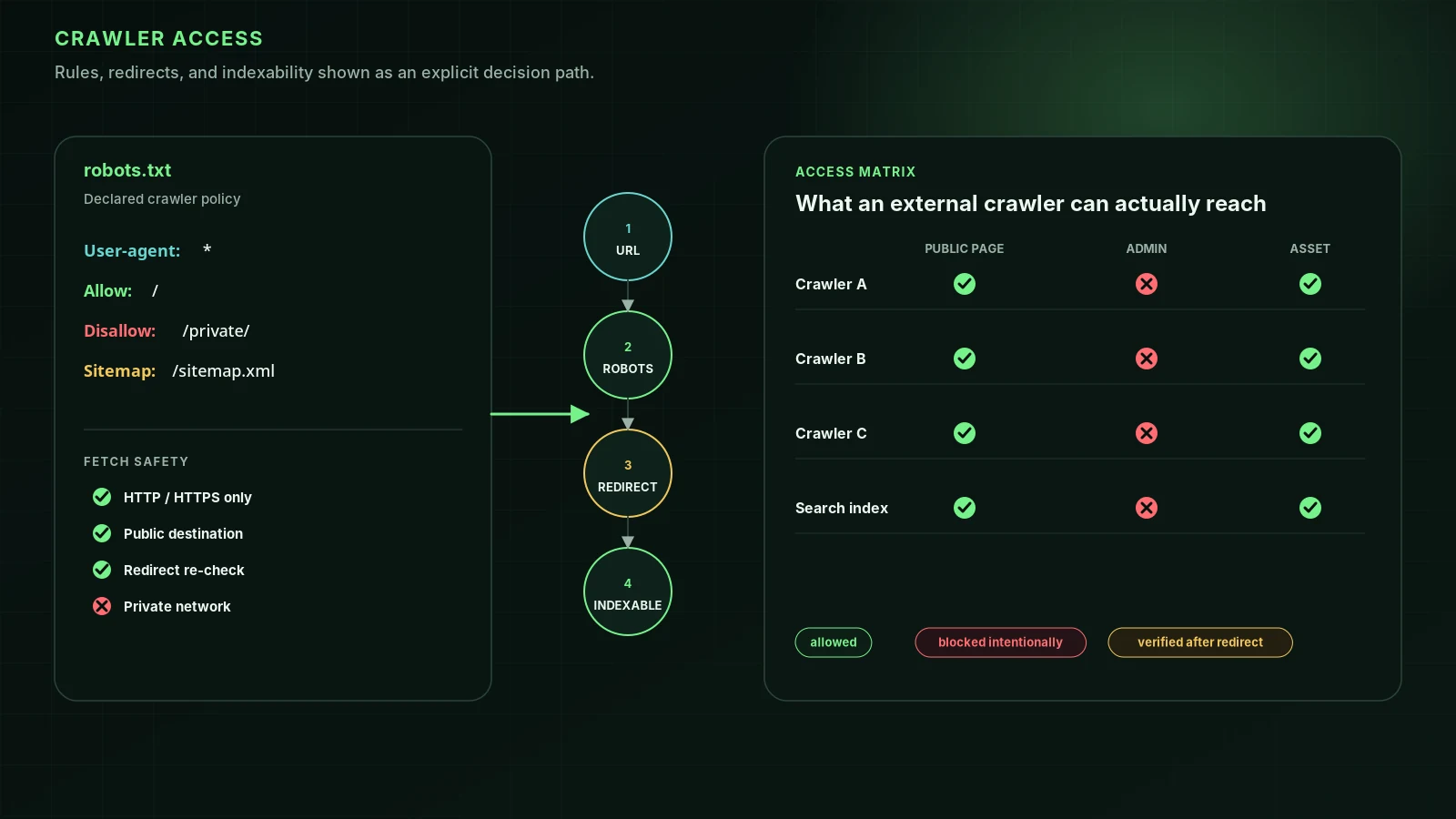
| robots.txt | Allows Googlebot, Bingbot and the AI search crawlers you want on this URL | Yes (robots.txt rules, 31 AI crawlers) |
| Firewall and CDN | Bots get the same 200 response a browser gets, not a 403 or challenge page | Yes (Edge access) |
| Status code | 200 for live pages; 301 for moved ones; 404 or 410 for removed ones | Yes (Page fetch) |
| Soft 404 | Missing pages don't return 200 with a "not found" message | Yes (Soft 404) |
| Crawl-delay | Not set so high that crawlers barely visit | Yes (Crawl delay) |
| Internal links | Every important page is linked from another page with a normal <a href> link | Yes (Internal links) |
| XML sitemap | Exists, lists canonical URLs only, and is referenced in robots.txt | Yes (sitemap.xml, Sitemap in robots) |
2. Indexing: can the page be stored?
| Check | Pass if | Audit |
|---|---|---|
| noindex | No noindex in the robots meta tag or the X-Robots-Tag header on pages you want indexed | Yes (Indexability) |
| HTTPS | The page loads over HTTPS and HTTP redirects to it | Yes (HTTPS) |
| Search Console | Page indexing report shows the page as indexed | No (needs your Search Console) |
| Snippet controls | No nosnippet or tiny max-snippet unless intended; these also keep you out of AI Overviews | Yes (Snippet controls) |
3. The right URL: duplicates and canonicals
| Check | Pass if | Audit |
|---|---|---|
| Canonical tag | Points at the page itself, or at the version you want indexed, as an absolute URL | Yes (Canonical) |
| One host | www and non-www, and HTTP and HTTPS, redirect to one version | Partly |
| Parameters | Tracking and sort parameters don't create indexable duplicates | No (site-wide) |
| hreflang | Multilingual pages reference each other and themselves with valid language codes | Yes (Hreflang) |
4. Rendering: can the content be read?
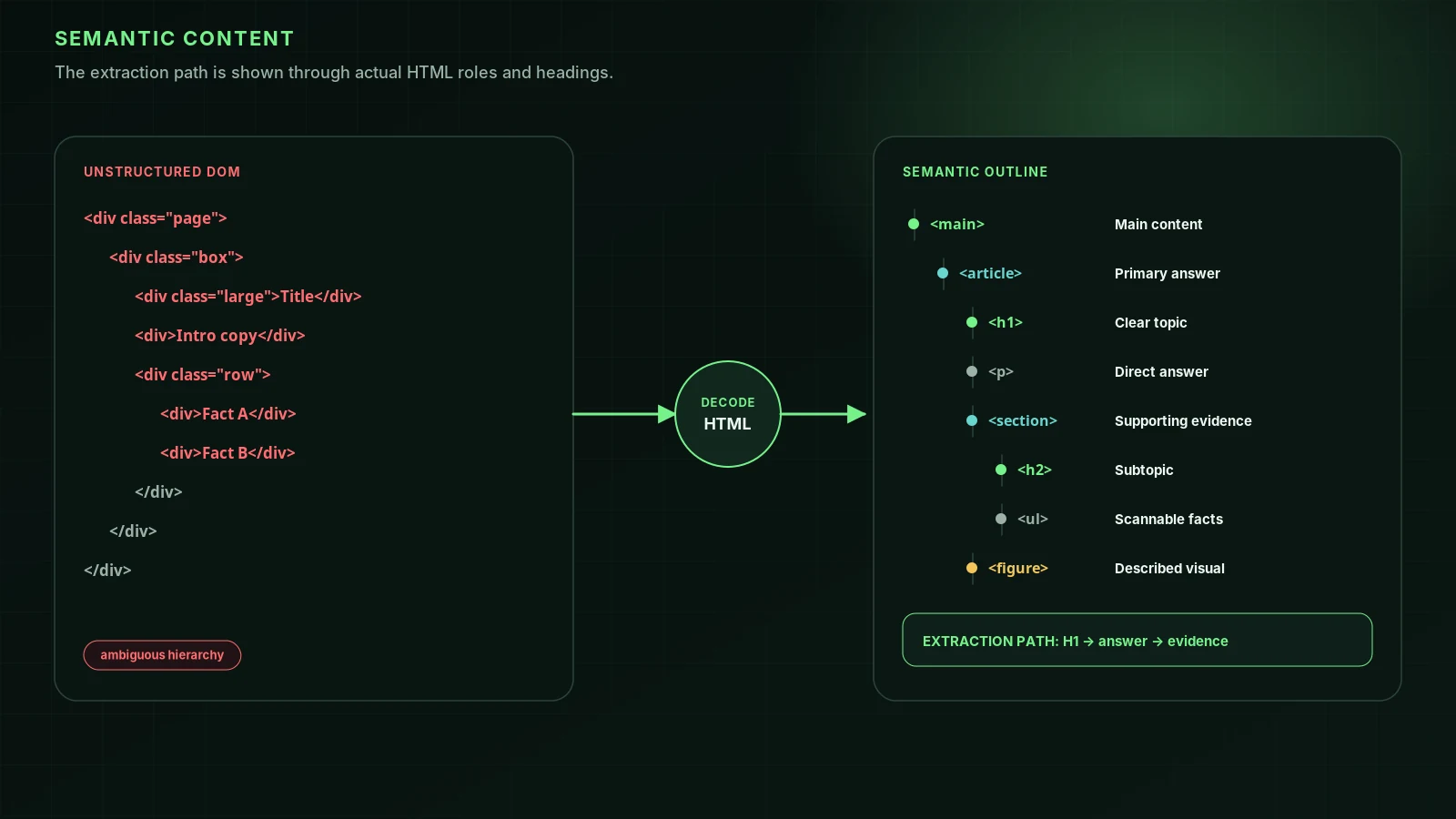
Google renders JavaScript, but Google's own JavaScript SEO guide recommends server-side or pre-rendering because it's faster and works for more crawlers. AI search crawlers don't run JavaScript at all. If your text, links or structured data only exist after scripts run, they may be invisible.
| Check | Pass if | Audit |
|---|---|---|
| Raw HTML content | The main text is in the HTML the server sends | Yes (Raw HTML visibility) |
| Links | Navigation uses <a href> links, not click handlers | Partly (Internal links) |
| Semantic HTML | Content sits in main, article, headings and lists, not only in divs | Yes (Semantic HTML) |
| Shadow DOM | Key content isn't hidden inside shadow roots | Yes (Shadow DOM) |
| lang attribute | The html element declares the page's language | Yes (Lang attribute) |
5. On-page elements with technical rules
| Check | Pass if | Audit |
|---|---|---|
| Title tag | Present, unique and descriptive | Yes (Title tag) |
| Meta description | Present and summarizes the page | Yes (Meta description) |
| H1 and headings | One H1; headings outline the content | Yes (H1, Heading depth) |
| Image alt text | Meaningful images have descriptive alt | Yes (Image alt text) |
| Open Graph and Twitter Cards | Title, description and image set for sharing | Yes |
| Favicon | Present | Yes |
6. Speed and mobile
| Check | Pass if | Audit |
|---|---|---|
| Server response | HTML arrives quickly; slow responses also limit how much crawlers fetch | Yes (Load time) |
| Core Web Vitals | LCP, INP and CLS are in the good range in Search Console's report | No (field data in Search Console) |
| Viewport | A viewport meta tag makes the page usable on phones | Yes (Viewport) |
| Images | Modern formats and lazy loading below the fold | Yes (Image formats, Lazy loading) |
7. Structured data
| Check | Pass if | Audit |
|---|---|---|
| JSON-LD present | The page describes itself with schema.org types Google documents | Yes (Schema.org) |
| Valid | No errors in the Rich Results Test | Partly |
| Matches the page | Marked-up content is visible on the page | No (manual) |
8. Security and trust
- Security headers such as HSTS and X-Content-Type-Options (Audit: Security headers).
- No mixed content on HTTPS pages.
- About and contact pages that say who runs the site (Audit: About page, Contact page).
- Author and date on articles (Audit: Author attribution, Publication date).
Fix in this order
- Anything that blocks crawling or indexing: robots.txt, firewall blocks, noindex, 5xx errors.
- Wrong canonicals and duplicate versions of the site.
- Content that only appears with JavaScript.
- Speed and mobile problems on your main templates.
- Titles, descriptions, headings and alt text.
- Structured data and social metadata.
Platform-specific steps for WordPress, Shopify, Next.js, React and more are in the SEO guides by platform. For the AI side in depth, see can ChatGPT, Claude and Perplexity read your website.
FAQ
What is a technical SEO audit?+
A technical SEO audit checks whether search engines can crawl, render and index a site's pages, and whether the right version of each page is indexed. It covers status codes, robots rules, sitemaps, canonicals, HTTPS, speed, mobile usability, structured data and JavaScript rendering.
How often should I run a technical SEO audit?+
After any redesign, migration or platform change, and otherwise every few months. Check Search Console's Page indexing report monthly; it shows new problems as Google finds them.
Do I need a crawler like Screaming Frog?+
For a large site, yes: a crawler finds broken links, redirect chains and duplicates across thousands of URLs. For a small site, checking your main page templates and the Search Console reports covers most of it.
What's different about technical SEO for AI search?+
AI search crawlers such as OAI-SearchBot, Claude-SearchBot and PerplexityBot don't run JavaScript, are often blocked by robots.txt rules or firewalls meant for other bots, and respect snippet controls. Check all three in addition to the Google checks.
Sources
- Google Search technical requirements — Google Search Central
- Introduction to robots.txt — Google Search Central
- How to specify a canonical URL — Google Search Central
- Understand JavaScript SEO basics — Google Search Central
- Robots meta tag, data-nosnippet and X-Robots-Tag specifications — Google Search Central
- Understanding Core Web Vitals and Google search results — Google Search Central
Run it on your domain
See this lens as a finding, not a lecture.
Free technical GEO audit. Evidence-traced scores, LLM-ready export, no login.
Audit your website