Retrieval 10 min read
SEO-Friendly Web Design: What Designers and Developers Must Get Right
Most SEO problems are built in at launch: a JavaScript-only page, a noindex left on, URLs that change in a redesign. Here's what to get right in design and development, and what to ask before you hire.

Founder, SEO·AEO·GEO
Builds SEO·AEO·GEO and writes the crawler, schema, and citation research published here.
Key takeaways
- Render content on the server. Google recommends server-side or pre-rendering, and AI crawlers don't run JavaScript at all.
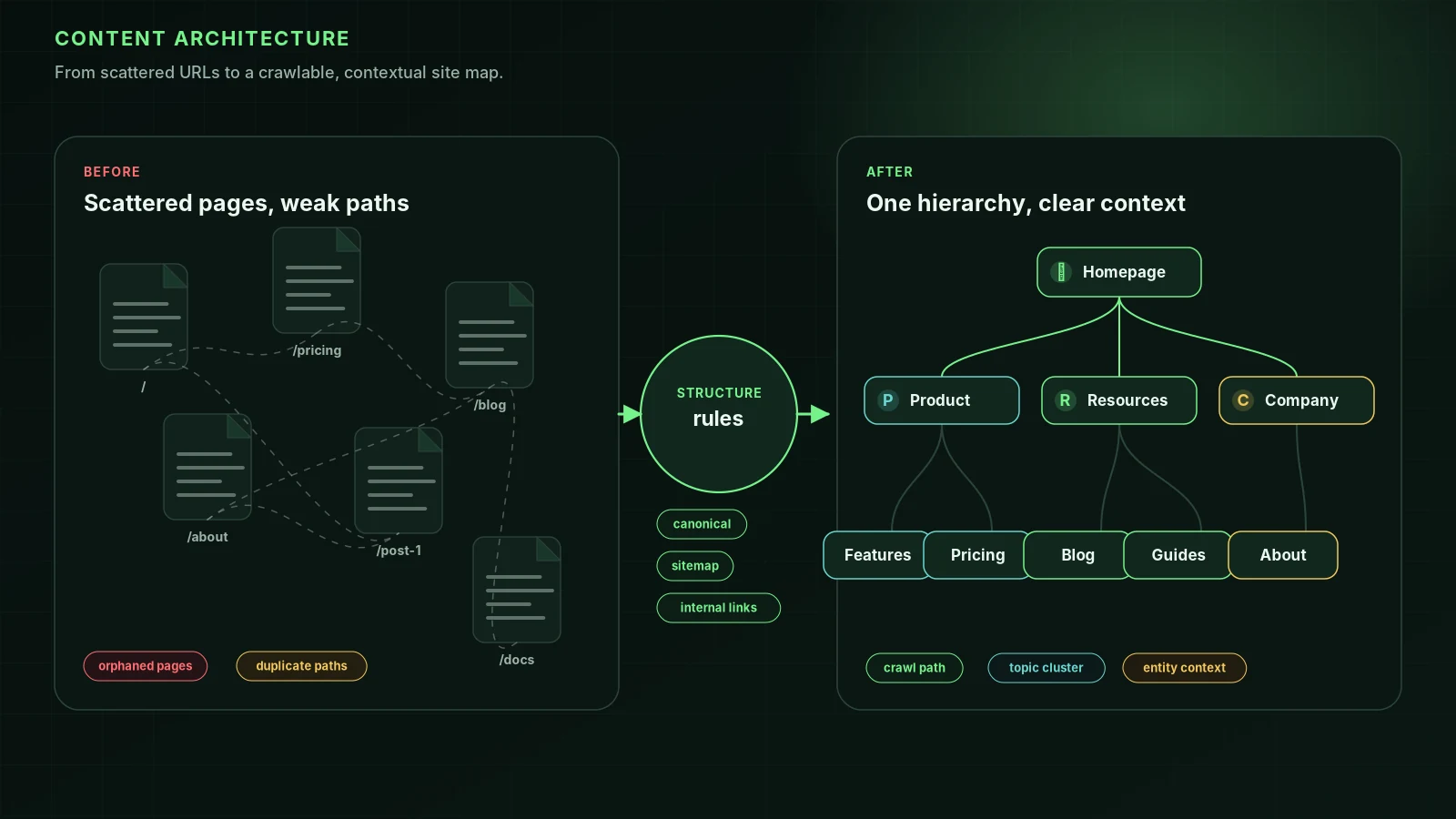
- Plan URLs and navigation before design: short, descriptive URLs, every page reachable by normal links.
- Design for one clear H1, scannable headings and the answer near the top, on a phone first.
- Performance is a design decision: image sizes, fonts and scripts decide Core Web Vitals.
- A redesign or migration needs a redirect map from every old URL to its new one, or rankings can drop.
SEO-friendly web design means building a site that search engines and AI crawlers can read as easily as people can: content in the HTML, clear URLs and navigation, fast pages on a phone, and nothing lost when the site launches or moves. Most SEO problems on new sites are decided at this stage.
1. Rendering: put the content in the HTML
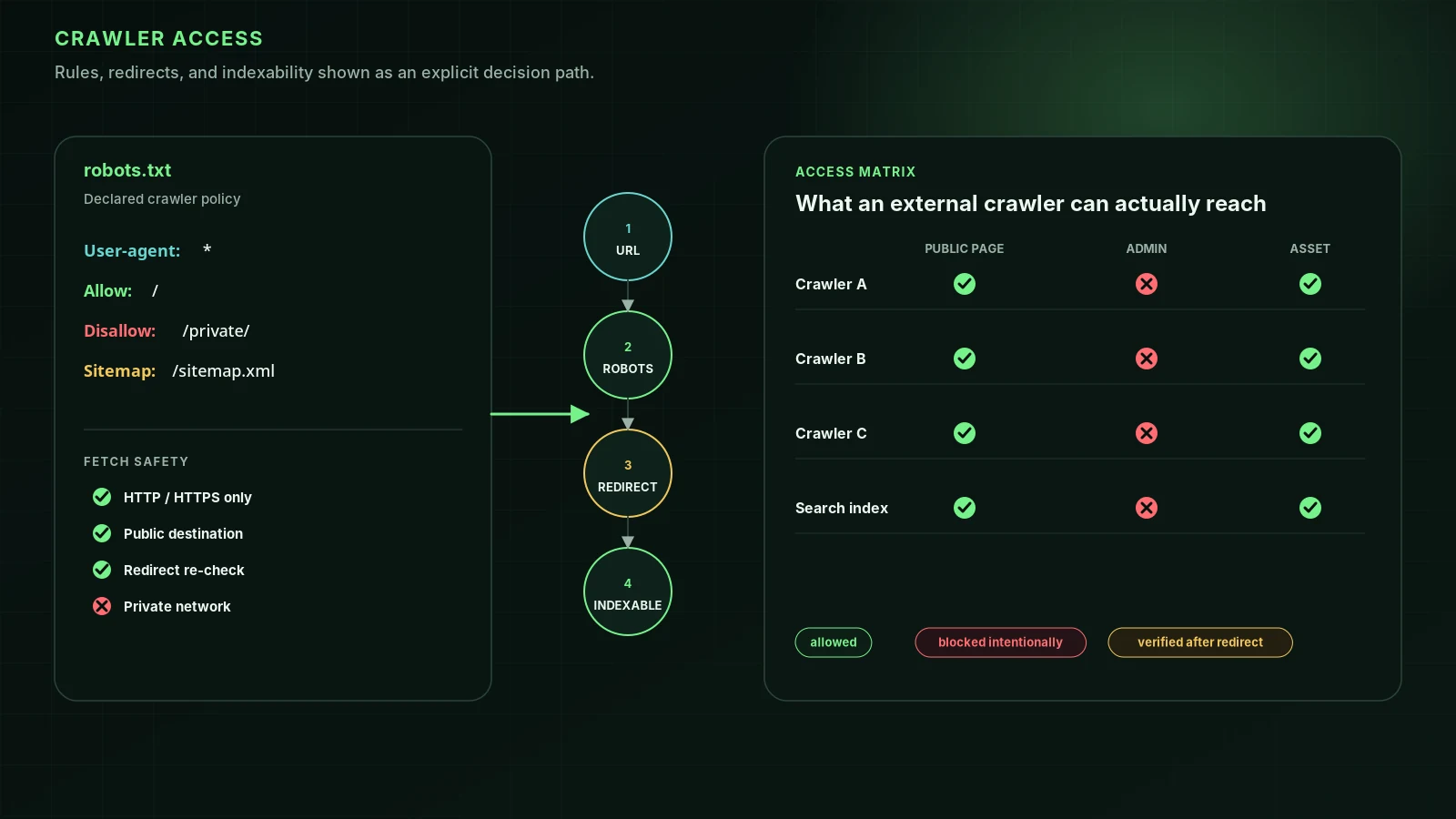
Google can render JavaScript, but its own JavaScript SEO guide recommends server-side rendering or pre-rendering, because it's faster for users and crawlers and not every bot runs JavaScript. AI crawlers such as OAI-SearchBot, ClaudeBot and PerplexityBot don't run it at all. If your text, links or metadata only exist after scripts run, those crawlers see an empty page.
- Use server-side rendering or static generation for every page that should rank.
- Make links real <a href> elements, not buttons with click handlers.
- Give every view its own URL; avoid #fragment-only routing.
- Return real 404 status codes for missing pages.
Framework-specific steps: Next.js, React, Vue, Angular and JavaScript SEO.
2. URLs and navigation
- Simple, descriptive URLs with words, such as /services/emergency-plumbing, as Google's URL guidance recommends.
- Group related pages in folders when the site is large.
- Every important page reachable within a few clicks of the homepage through normal links.
- Breadcrumbs on deep sites, with BreadcrumbList structured data.
- An XML sitemap generated automatically, and listed in robots.txt.
3. Page design that helps search
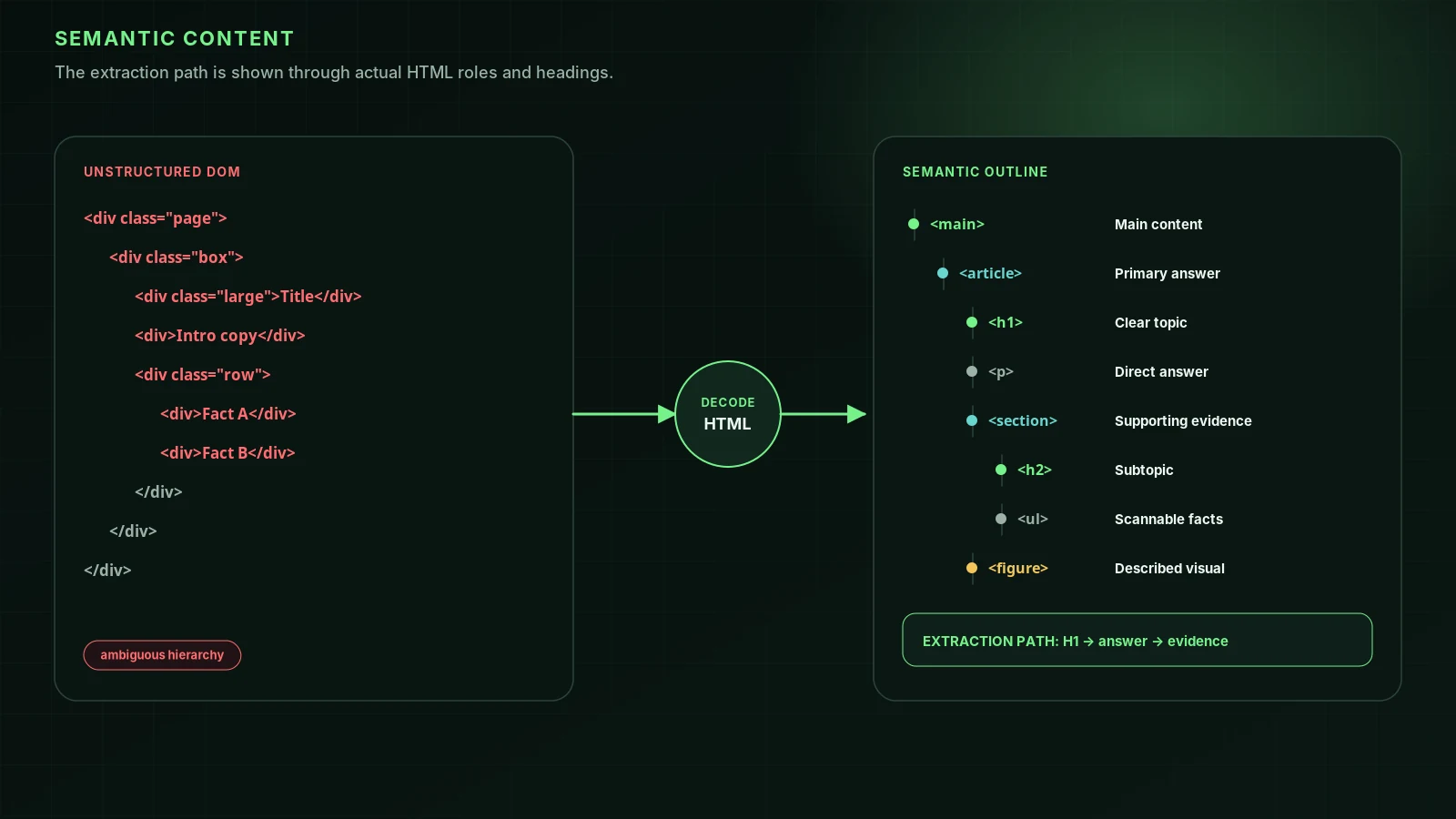
- One clear H1 per page, and headings that outline the content.
- The answer or key information near the top, not below a large banner.
- Real text, not text inside images; meaningful images with alt text.
- Semantic HTML: header, nav, main, article, footer, lists and tables.
- Visible author, date, about and contact information where trust matters.
4. Mobile and speed
Google mainly uses the mobile version of pages for indexing, so design mobile first. Performance is mostly a design and build decision: hero image sizes, web fonts, sliders, third-party scripts and layout shifts decide your Core Web Vitals. Set width and height on images, compress and serve modern formats, load scripts late, and test real pages in PageSpeed Insights before launch. See Core Web Vitals.
5. Structured data and metadata
Build templates that output a unique title and meta description per page, a self-referencing canonical, Open Graph tags, and JSON-LD structured data for the page type: Organization, LocalBusiness, Product, Article, BreadcrumbList. It's far easier to build in than to retrofit.
6. Launch and migration checks
- Map every old URL to its new URL and set up 301 redirects. Google's site move guide describes the process.
- Remove noindex and staging password protection at launch, and check robots.txt doesn't block the live site.
- Keep the content that ranked; don't drop pages without redirecting them.
- Submit the new sitemap in Search Console and watch the Page indexing report for the next few weeks.
- Check that firewalls and bot protection on the new host allow Googlebot and AI search crawlers.
Questions to ask a web design company about SEO
- Will pages be server-rendered or statically generated? Can I see the HTML of a page you've built with JavaScript turned off?
- How do you handle URLs, redirects and the sitemap if we're replacing an existing site?
- What Core Web Vitals do your recent sites get on mobile?
- Can I edit titles, descriptions and headings for each page myself?
- Which structured data do your templates output?
- Who owns the domain, hosting and analytics accounts?
- Do you test with crawlers before launch, and what happens if rankings drop after it?
Ask to see a site they've launched and run it through a free audit yourself. For ongoing SEO beyond the build, see how to choose an SEO agency.
FAQ
Does web design affect SEO?+
Yes. Design and development decide whether content is in the HTML, how fast pages load, how pages link together, whether they work on phones and whether URLs survive a redesign, all of which affect how search engines crawl and rank a site.
Should I hire a web designer who does SEO?+
Hire one who builds the technical foundations correctly: server-rendered content, clean URLs, fast pages, structured data and a migration plan. Ongoing SEO work such as content and links is often a separate job.
What is SEO UX?+
The overlap of search optimization and user experience: pages that load fast, are easy to use on a phone, answer the visitor's question quickly and lead to a clear next step. What helps users usually helps search.
Will a website redesign hurt my SEO?+
It can if URLs change without redirects, content is removed, or the new site depends on JavaScript for content. With a redirect map, the same content and a pre-launch audit, it usually doesn't.
Sources
- Understand JavaScript SEO basics — Google Search Central
- URL structure best practices for Google — Google Search Central
- Link best practices for Google — Google Search Central
- Site moves with URL changes — Google Search Central
- Understanding Core Web Vitals and Google search results — Google Search Central
Run it on your domain
See this lens as a finding, not a lecture.
Free technical GEO audit. Evidence-traced scores, LLM-ready export, no login.
Audit your website