Authority 10 min read
How to Help AI Understand and Explain What Your Business Does
Assistants can only explain you in the words the web gives them. If your own site says “innovative solutions” and three directories disagree on what you do, that is what they have to work with.

Founder, SEO·AEO·GEO
Builds SEO·AEO·GEO and writes the crawler, schema, and citation research published here.
Key takeaways
- Write one plain sentence that says what you do, for whom and where, and use it word for word on your site and every profile.
- Give each service its own page that names it the way customers do, with prices, areas and who it’s for in the HTML text.
- Keep your name, address, phone, hours and categories identical everywhere; assistants trust facts that agree.
- Organization markup with sameAs states who you are unambiguously, but tests show it isn’t a citation lever on its own.
- Specific claims with numbers are quotable; superlatives aren’t. Studies of AI answers penalise self-promotion more often than they reward it.
To help AI understand what your business does, describe it in one plain sentence (what you do, for whom, where) and repeat that sentence on your website and every profile; give each service its own clearly named page with the facts in the HTML text; keep your name, address and details identical everywhere; and make sure the assistants’ crawlers can read your pages. Assistants explain you by summarising what they read. When everything they read agrees and is specific, the explanation is clear. When it is vague or contradictory, so is the answer.
None of this is new SEO. Google says that for its AI features, optimizing “is optimizing for the search experience, and thus still SEO”. What changes is how much a muddled description costs you: a search results page shows ten links and lets the reader decide; an assistant writes one paragraph about you, or leaves you out.
1. Write the one sentence
Everything else hangs off this. Write it the way a customer would say it to a friend:
| Vague (hard to repeat) | Specific (easy to repeat) |
|---|---|
| “Innovative digital solutions for forward-thinking brands” | “A Shopify agency in Manchester that builds stores for food and drink brands” |
| “Your trusted partner in wellness” | “A physiotherapy clinic in Austin for running injuries, open evenings and Saturdays” |
| “Next-generation financial software” | “Payroll software for UK charities with under 50 staff, from £5 a month per employee” |
Then use the same sentence, word for word, in the first paragraph of your homepage, your About page, your Google Business Profile and Bing Places descriptions, your LinkedIn and social bios, and the directories you’re listed in. Repetition across independent places is what lets an assistant state it with confidence.
2. Give every service its own page, named the way customers name it
An assistant asked “who does emergency boiler repair in Leeds?” looks for a page that answers exactly that. A single “Services” page listing twelve things in a sentence each rarely wins. For each service that matters, publish a page whose heading uses the customer’s words, and say in the first paragraph who it’s for, where you offer it, roughly what it costs and how quickly you can do it.
3. Put the facts in the HTML, not in pictures or scripts
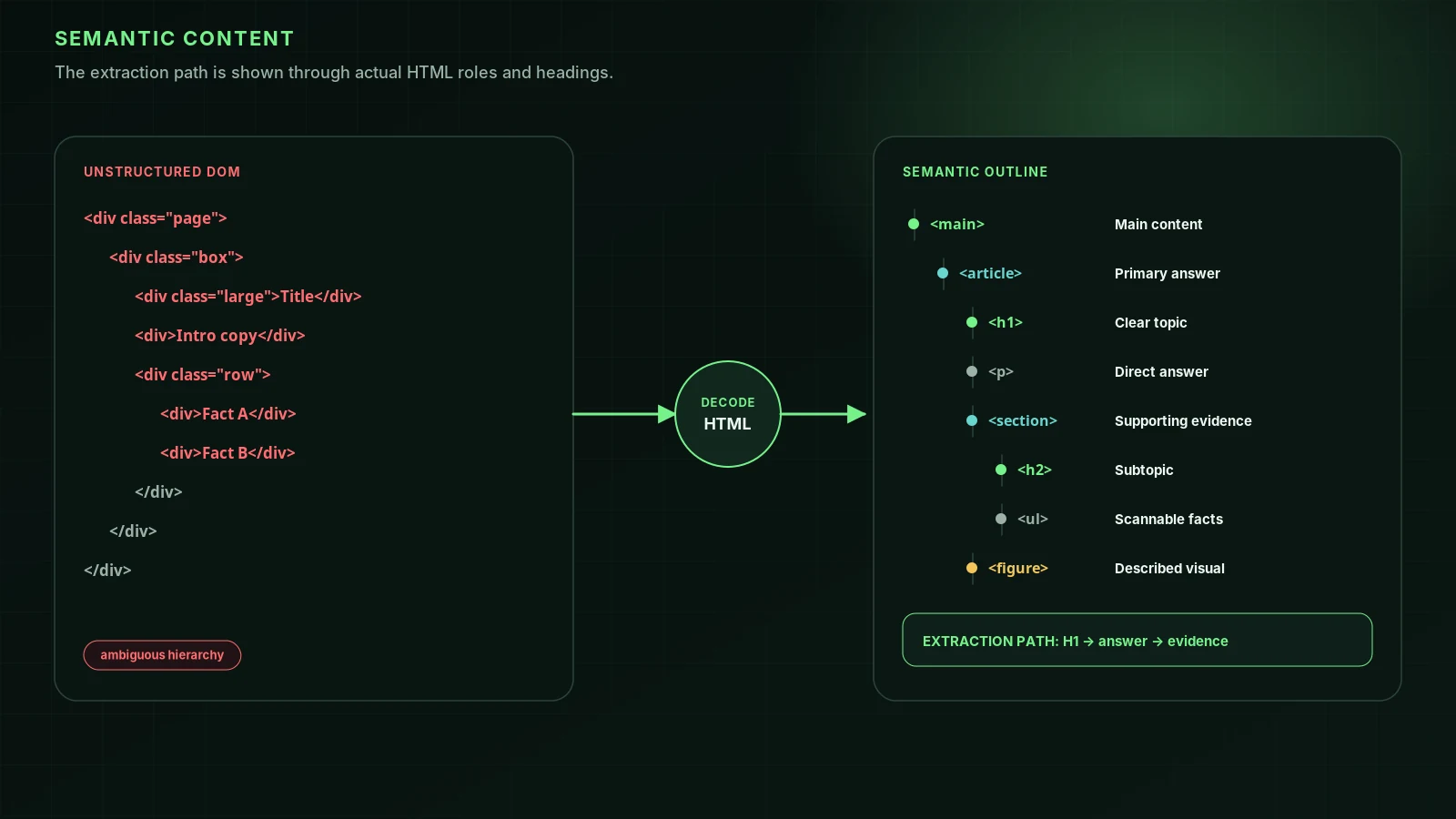
Prices in an image, opening hours in a widget, a menu as a PDF: people can read them, crawlers often can’t. Vercel’s crawler study found that “none of the major AI crawlers currently render JavaScript”. Open your page, choose View Source, and search for your phone number and prices. If they aren’t there, an AI crawler probably isn’t seeing them. Our [free audit](/) tests exactly this for each AI crawler, and the semantic HTML guide shows how to structure the page.
4. Make your details identical everywhere
Name, address, phone, hours, categories and the one sentence. If Yelp says you close at 6, Google says 7 and your site says 5:30, an assistant has to guess or say nothing. Check Google Business Profile, Bing Places, Apple Business, Yelp, Facebook, your industry directories and any data aggregator that feeds them. Fix the aggregators first; they copy into dozens of smaller sites.
5. Say who is behind the business
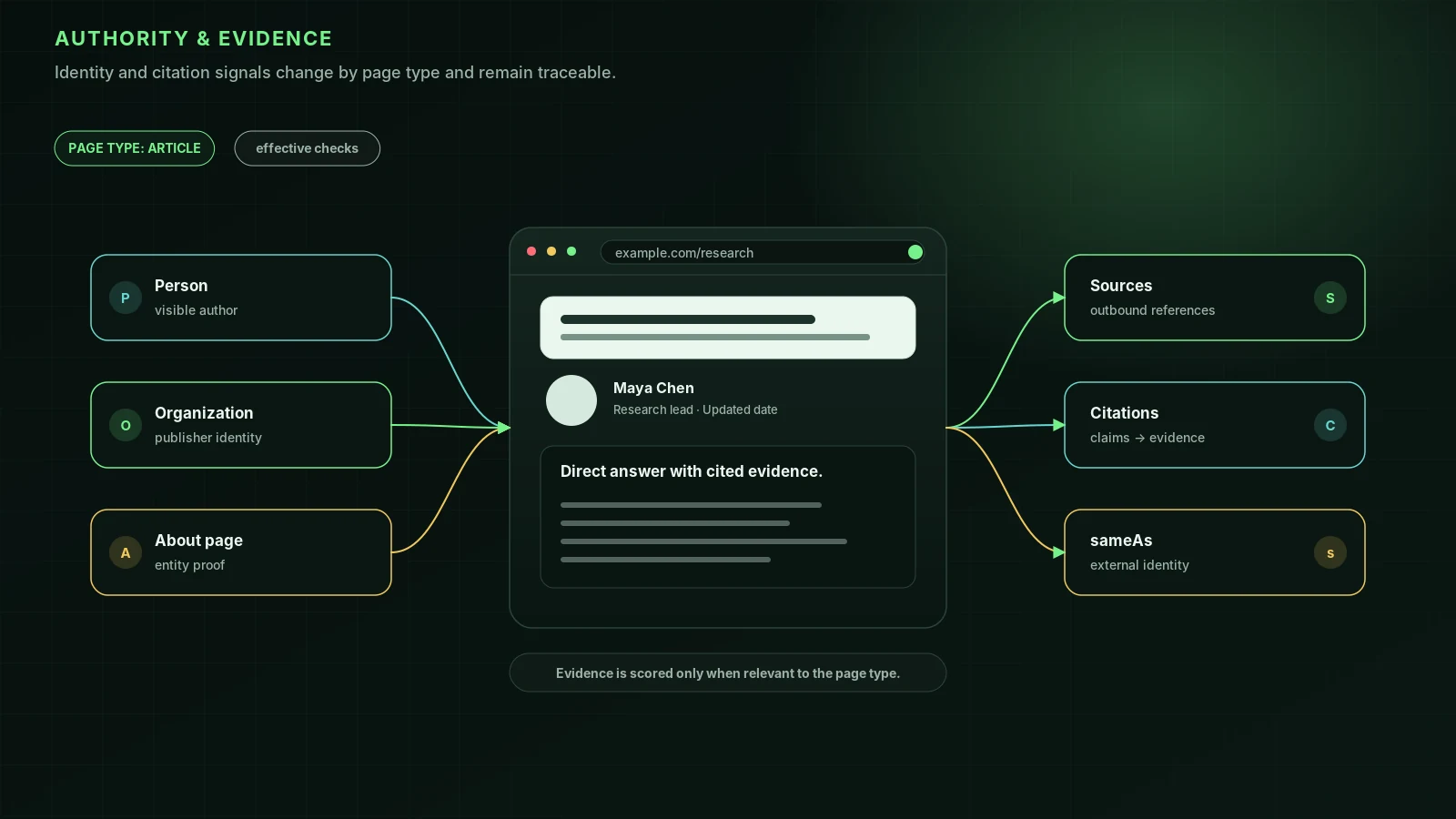
Publish an About page with the founders or owners by name, their background and credentials, when you started and how to reach you, and link to every profile you control. For professional services, give each practitioner a page. This is also what Google’s guidance on trustworthy content asks for; our E-E-A-T and sameAs guide covers the markup that connects these pages for machines.
6. Add Organization markup, and keep your expectations modest
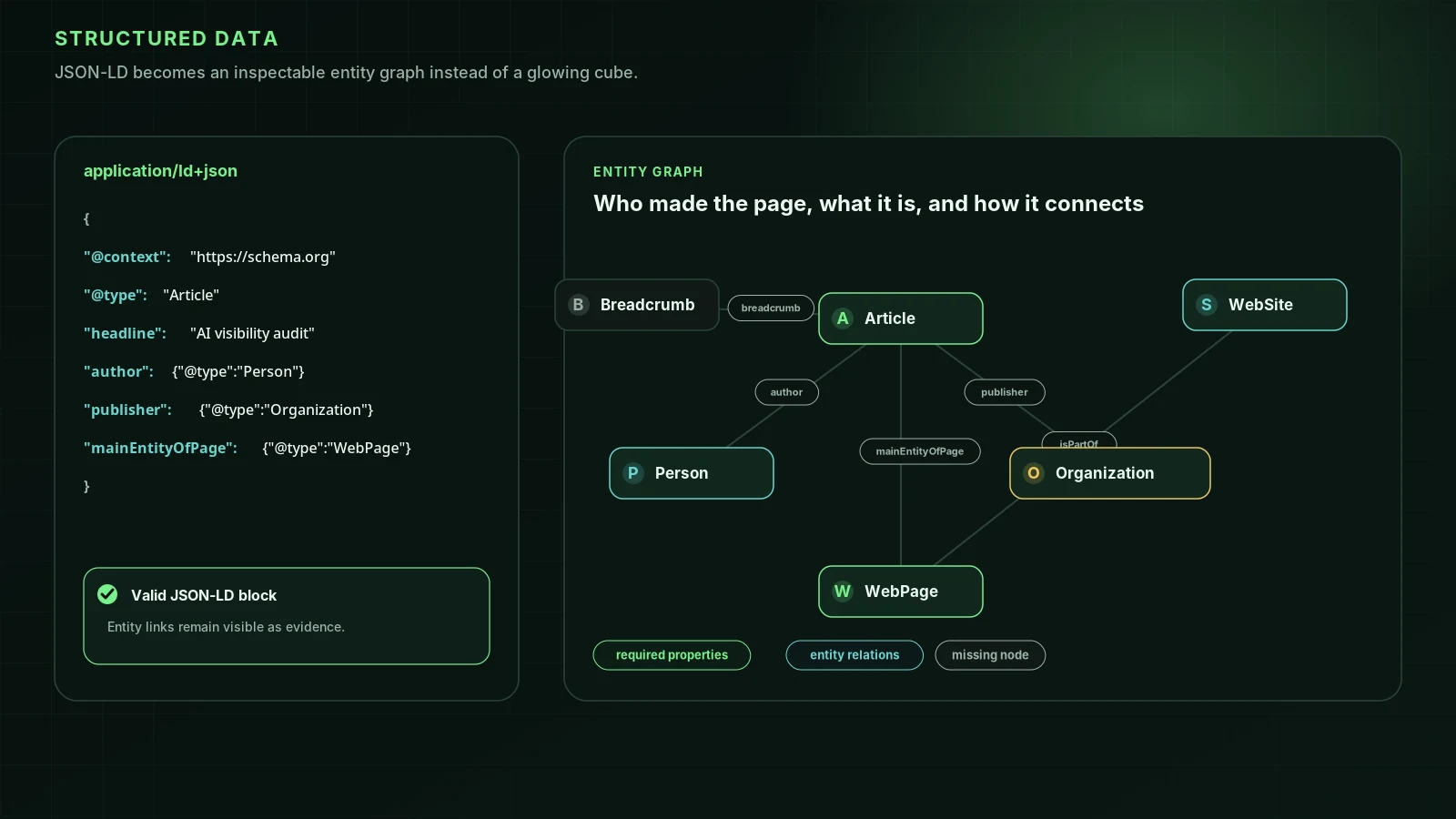
Organization or LocalBusiness JSON-LD, with your official name, logo, address and a sameAs list of your profiles, states the facts without ambiguity. It’s worth having. It is not, on current evidence, what makes assistants cite or recommend you: in Ahrefs’ controlled test of 1,885 pages, adding schema moved ChatGPT citations by +2.2%, statistically indistinguishable from zero. Our review of the schema evidence has the details.
7. Check your entity in Google’s Knowledge Graph and Wikidata
- Search your business name. If a knowledge panel appears, verify yourself and use “Suggest edits”. Google can make some corrections directly once you’re verified, such as social profile links, but says descriptions must be corrected at their original source.
- Look your business up on Wikidata. If an item exists, check its facts. Create one only if you meet the notability policy; otherwise it won’t be accepted.
- Leave Wikipedia to independent editors. Its conflict-of-interest guideline strongly discourages editing articles about your own company and asks you to propose changes on the talk page instead.
8. Be specific, not promotional
Assistants summarise; they don’t repeat adjectives. A sentence with a number, a place or a named method survives summarising (“we’ve fitted 1,400 heat pumps in Devon since 2019”); “the best installers in the South West” doesn’t, and may count against you. Lily Ray’s analysis of Ahrefs Brand Radar data covered 100 B2B queries: 69% of the self-promotional “best” lists Google’s AI Overviews cited (224 of 323) belonged to brands the answer didn’t recommend. In the AutoGEO research (ICLR 2026), simulated AI engines consistently preferred specific, neutral, current content; those were small test engines, not ChatGPT itself, so treat it as a direction, not a measured effect.
The part you don’t write: what others say
Your own pages tell assistants what you claim. Other pages tell them what is true about you. In Ahrefs’ study of 75,000 brands, branded web mentions correlated with ChatGPT visibility at 0.664, far ahead of backlink measures. So once your own description is clear, the next job is getting the same description onto independent pages: the directories and “best of” lists in your field, local press, trade publications and review sites. See how to get on the “best of” lists AI cites and how reviews affect AI recommendations.
| Step | Time | Evidence |
|---|---|---|
| 1. One sentence, used everywhere | 1 hour | Untested directly; low cost, follows from how summaries work |
| 2. A page per service | A day per service | Moderate: page–question match is the most reliable on-page lever in controlled studies |
| 3. Facts in HTML | An hour to check | Platform behaviour (AI crawlers don’t run JavaScript) |
| 4. Identical details | Half a day | Untested directly; inconsistency is the usual cause of wrong answers |
| 5. Who’s behind it | 2 hours | Google guidance on trustworthy content |
| 6. Organization markup | 1 hour | Controlled test: no measurable citation effect |
| 7. Knowledge Graph and Wikidata | 1 hour | Moderate, as a proxy for real off-site presence |
| 8. Specific, not promotional | Ongoing | Moderate (Ahrefs Brand Radar; AutoGEO on simulated engines) |
To see whether it’s working, ask the assistants who you are and what you do before you start and a month after, using the questions in what AI says about your business.
FAQ
How does AI decide what my business does?+
From the text it reads: your own pages when its crawler can reach them, plus directories, reviews, articles and profiles that mention you. When it searches, it retrieves a few pages and summarises them. When it doesn’t, it relies on what it learned in training. If those sources are vague or disagree, the description will be vague or wrong.
Does schema markup help ChatGPT understand my business?+
It states facts in a format machines read reliably, which is useful for Google’s rich results and for avoiding ambiguity. But in Ahrefs’ controlled test, adding JSON-LD changed ChatGPT citations by +2.2%, which was not statistically different from zero. Treat it as hygiene, not a growth lever.
Should I create a Wikipedia or Wikidata page for my business?+
Only if you qualify. Wikipedia discourages editing about your own company directly, and Wikidata accepts items that meet its notability policy, such as an entity that can be described using serious, publicly available references. If you don’t qualify, put the effort into directories, coverage and your own site.
What should my homepage say so AI understands it?+
In the first paragraph, in plain text: what you are, who it’s for, where you operate, and one concrete fact that sets you apart, such as a price, a specialism or a number. “We help small accountancy firms in Ontario switch to cloud payroll in two weeks” gives an assistant something to repeat; “empowering businesses with innovative solutions” doesn’t.
Sources
- Optimizing your website for generative AI features on Google Search — Google Search Central (2026-07-10)
- Schema and AI citations (1,885 pages, controlled) — vendor study — Ahrefs (2026-05-11)
- Brand mentions vs AI visibility (75,000 brands, correlational) — vendor study — Ahrefs (2025-12-12)
- Why calling yourself “the best” could cost you AI recommendations (Ahrefs Brand Radar data) — Lily Ray (2026-06-17)
- AutoGEO: automatically learning generative engine preferences (ICLR 2026; simulated engines) — arXiv
- The rise of the AI crawler (JavaScript rendering) — Vercel (2024-12-17)
- Update your knowledge panel — Google Knowledge Panel Help
- Wikidata:Notability — Wikidata
- Wikipedia:Conflict of interest — Wikipedia
Run it on your domain
See this lens as a finding, not a lecture.
Free technical GEO audit. Evidence-traced scores and an LLM-ready export. See your score with no login.
Audit your website