Retrieval 9 min read
Python for SEO: 4 Scripts to Audit Pages, robots.txt, Sitemaps and Search Console
A few short Python scripts can check hundreds of pages in the time it takes to open ten in a browser. These four use only the standard library, plus the documented Search Console API.

Founder, SEO·AEO·GEO
Builds SEO·AEO·GEO and writes the crawler, schema, and citation research published here.
Key takeaways
- Python's standard library can fetch pages, parse HTML and XML and test robots.txt rules without installing anything.
- urllib.robotparser answers "may this user agent fetch this URL?" the way a well-behaved crawler would.
- Parsing your XML sitemap and checking each URL's status catches redirects and 404s you're asking Google to crawl.
- The Search Console API's searchAnalytics.query returns up to 25,000 rows per request, far more than the web interface exports.
- Be polite: identify your script, add delays, and only crawl sites you own or have permission to test.
Python is useful for SEO when you need to check many pages the same way: read their titles and canonicals, test robots.txt rules, compare a sitemap with what's live, or analyse Search Console data. The four scripts below use only Python's standard library, except the last, which calls Google's documented API.
1. Read a page's title, meta description, robots and canonical
from html.parser import HTMLParser
from urllib.request import Request, urlopen

class SEOTags(HTMLParser):
    def __init__(self):
        super().__init__()
        self.tags, self._in_title = {}, False

    def handle_starttag(self, tag, attrs):
        a = dict(attrs)
        if tag == "title":
            self._in_title = True
        elif tag == "meta" and a.get("name", "").lower() in ("description", "robots"):
            self.tags[a["name"].lower()] = a.get("content", "")
        elif tag == "link" and "canonical" in a.get("rel", "").lower():
            self.tags["canonical"] = a.get("href", "")

    def handle_data(self, data):
        if self._in_title:
            self.tags["title"] = self.tags.get("title", "") + data

    def handle_endtag(self, tag):
        if tag == "title":
            self._in_title = False

def audit(url):
    req = Request(url, headers={"User-Agent": "my-seo-script/1.0"})
    with urlopen(req, timeout=20) as r:
        status, robots_header = r.status, r.headers.get("X-Robots-Tag", "")
        html = r.read().decode("utf-8", errors="replace")
    p = SEOTags()
    p.feed(html)
    return {"url": url, "status": status, "x_robots_tag": robots_header, **p.tags}

print(audit("https://example.com/"))
This reads the HTML the server sends, without running JavaScript, which is also what AI crawlers see. If the title or text is missing here but visible in a browser, it's being added by JavaScript.
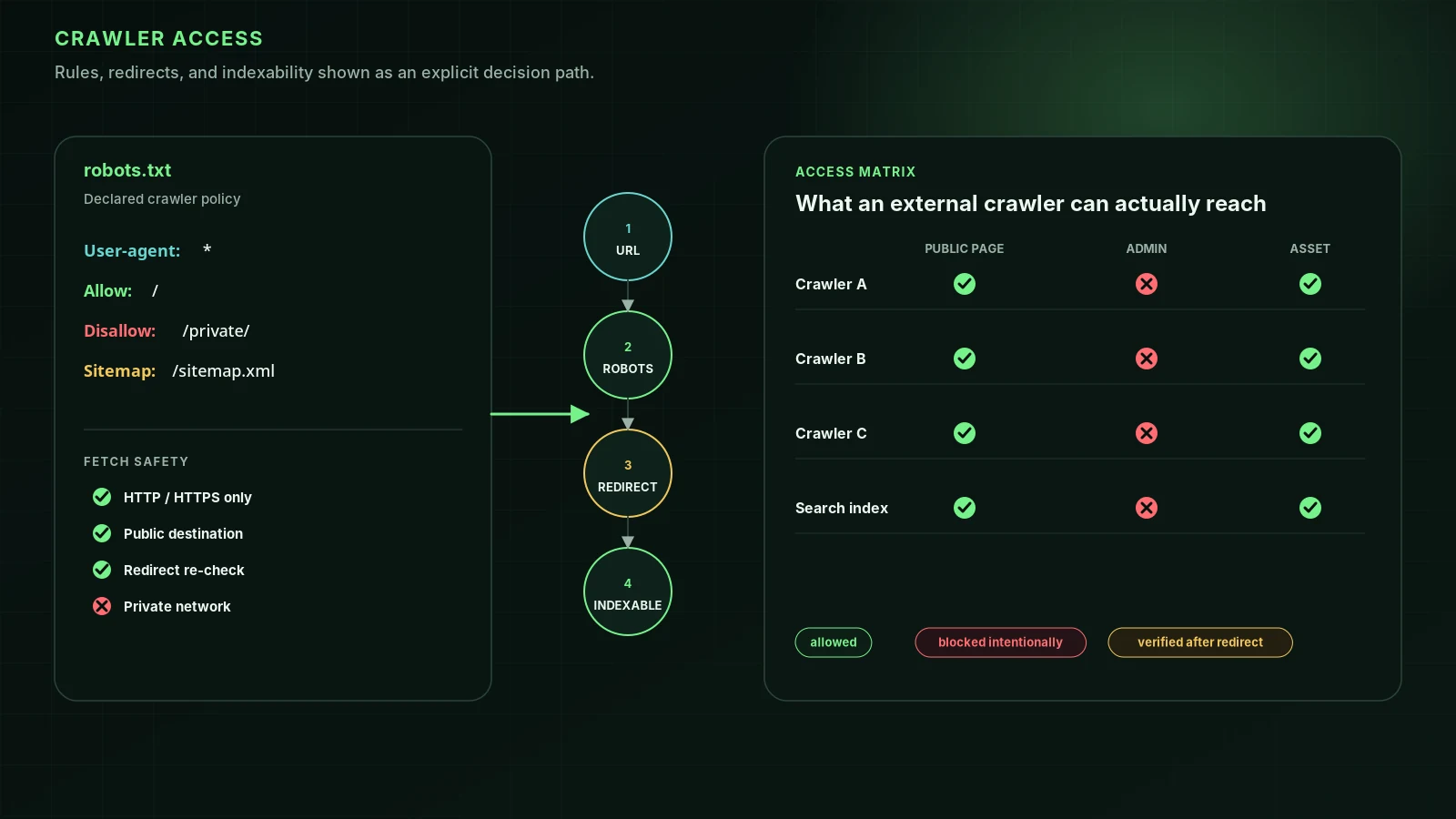
2. Test robots.txt rules for any crawler
from urllib.robotparser import RobotFileParser

rp = RobotFileParser("https://example.com/robots.txt")
rp.read()
for agent in ["Googlebot", "Bingbot", "OAI-SearchBot", "GPTBot", "ClaudeBot", "PerplexityBot"]:
    print(agent, rp.can_fetch(agent, "https://example.com/blog/"))
Python's parser follows the robots.txt standard closely, but not every detail of how Google interprets it, so treat edge cases (wildcards, conflicting rules) with care. The full list of AI crawler names is in AI crawlers.
3. Check every URL in your sitemap
import time
import xml.etree.ElementTree as ET
from urllib.error import HTTPError
from urllib.request import Request, urlopen

NS = {"sm": "http://www.sitemaps.org/schemas/sitemap/0.9"}

def fetch(url):
    return urlopen(Request(url, headers={"User-Agent": "my-seo-script/1.0"}), timeout=20)

def sitemap_urls(url):
    root = ET.fromstring(fetch(url).read())
    if root.tag.endswith("sitemapindex"):
        for loc in root.findall("sm:sitemap/sm:loc", NS):
            yield from sitemap_urls(loc.text.strip())
    else:
        for loc in root.findall("sm:url/sm:loc", NS):
            yield loc.text.strip()

for u in sitemap_urls("https://example.com/sitemap.xml"):
    try:
        with fetch(u) as r:
            if r.url != u:
                print("redirected", u, "->", r.url)
    except HTTPError as e:
        print(e.code, u)
    time.sleep(0.5)  # be polite
A sitemap should list only canonical URLs that return 200. Anything this prints is a URL you're asking search engines to crawl that you probably shouldn't.
4. Pull Search Console data with the API
The Search Analytics query endpoint is POST https://www.googleapis.com/webmasters/v3/sites/{siteUrl}/searchAnalytics/query. startDate and endDate are required; dimensions and rowLimit (1 to 25,000, default 1,000) are optional. It needs the webmasters.readonly or webmasters scope.
import json
from urllib.parse import quote
from urllib.request import Request, urlopen

ACCESS_TOKEN = "..."  # from an OAuth flow with the webmasters.readonly scope
site = quote("sc-domain:example.com", safe="")
body = {
    "startDate": "2026-09-01",
    "endDate": "2026-09-30",
    "dimensions": ["page", "query"],
    "rowLimit": 25000,
}
req = Request(
    f"https://www.googleapis.com/webmasters/v3/sites/{site}/searchAnalytics/query",
    data=json.dumps(body).encode(),
    headers={"Authorization": f"Bearer {ACCESS_TOKEN}", "Content-Type": "application/json"},
)
rows = json.load(urlopen(req))["rows"]
for row in sorted(rows, key=lambda r: -r["impressions"])[:20]:
    page, query = row["keys"]
    print(f"{row['position']:5.1f} {row['clicks']:6} {row['impressions']:8}  {query}  {page}")
Sorting by impressions and looking at positions 5 to 20 gives you the shortlist of pages closest to moving; see how to improve your Google ranking.
Crawling etiquette
- Only crawl sites you own or have permission to test.
- Identify your script in the User-Agent header.
- Respect robots.txt and add delays between requests.
- Don't scrape Google's search results; Google's spam policies count automated queries without permission as machine-generated traffic.
FAQ
Is Python useful for SEO?+
Yes, for repetitive checks across many pages: extracting titles and canonicals, checking status codes, testing robots.txt rules, comparing sitemaps with what's live, and analysing Search Console data.
Do I need libraries like requests or BeautifulSoup?+
They make code shorter, but the standard library is enough for the scripts here. Use libraries when you need features such as sessions, retries or CSS selectors.
How do I get Search Console data in Python?+
Enable the Search Console API in Google Cloud, authorize with the webmasters.readonly scope, then POST to the searchAnalytics.query endpoint with a date range and dimensions.
Sources
- urllib.robotparser: Parser for robots.txt — Python documentation
- html.parser: Simple HTML and XHTML parser — Python documentation
- Search Analytics: query — Google Search Console API
- How Google interprets the robots.txt specification — Google Search Central
Run it on your domain
See this lens as a finding, not a lecture.
Free technical GEO audit. Evidence-traced scores, LLM-ready export, no login.
Audit your website